


























You must be 21+ years of age or older to view this site. If you are under 21 - you must leave.
510 Battery Blinking Here’s What the Lights Mean
Introduction
A 510 battery is one of the most common power sources used for vape cartridges. Because of its universal compatibility and simple design, it has become a standard device for many vape users. However, many people occasionally notice their 510 battery blinking and wonder what the lights mean.
Blinking lights are usually not a sign that the device is broken. In most cases, the LED lights on a vape battery are designed to communicate information about the device’s status. These signals can indicate low battery power, connection issues, charging status, or safety features activating.
Understanding what these lights mean can help users quickly diagnose problems and keep their vape device working properly.
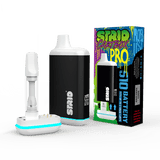
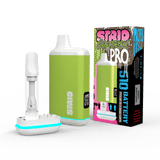
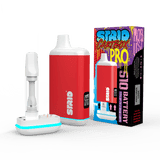
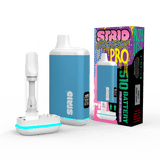
You can explore compatible vape batteries here
https://strio.com/collections/510-thread-batteries
This guide explains why your 510 battery may be blinking and what the different light signals mean, along with simple troubleshooting tips to fix common problems.
Why 510 Batteries Use LED Indicators
The Purpose of Battery Lights
Modern vape devices include LED lights that act as a communication system between the battery and the user. Instead of displaying messages on a screen, the device uses blinking patterns and colors to indicate different conditions.
These signals allow users to understand whether the battery is charging, fully charged, experiencing a connection issue, or running low on power.
Because most 510 batteries are small and portable, LED lights provide a simple and efficient way to communicate device status.
Common LED Colors
Different batteries may use different colors for their LED indicators. However, most devices use colors such as green, blue, or red to represent different power levels.
Green often indicates a fully charged battery, while red may indicate that the battery is running low. Some batteries also use blinking patterns to show when the device is charging or experiencing a connection problem.
Understanding these signals makes it easier to identify issues with the battery.
Common Reasons Your 510 Battery Is Blinking
Low Battery Power
One of the most common reasons a 510 battery starts blinking is low battery power. When the battery charge drops below a certain level, the device may blink several times to indicate that it needs to be recharged.
This blinking pattern usually occurs when the user attempts to activate the battery while it is nearly empty.
Charging the battery often resolves this issue quickly.
You can explore vape accessories here
https://strio.com/collections/vape-accessories
Cartridge Connection Issues
Another common reason for blinking lights is a connection issue between the battery and the vape cartridge.
If the cartridge is not properly attached, the battery may not detect it correctly. In this case, the device may blink several times to indicate a connection problem.
Removing the cartridge and reattaching it carefully can often fix this issue.
Blinking Lights During Charging
Charging Indicator Lights
When a 510 battery is charging, the LED light may blink to indicate that the charging process is active. Many batteries display a red or blinking light while charging.
Once the battery reaches full charge, the light may change color or stop blinking.
These signals help users understand when the battery is ready to be used again.
Charger Connection Problems
If the battery continues blinking while connected to a charger, it may indicate that the charger is not making proper contact.
Checking the charger connection and ensuring the battery is properly attached can help resolve the issue.
In some cases, cleaning the battery connection may restore proper charging functionality.
Short Circuit Protection
Safety Features in Vape Batteries
Many modern 510 batteries include built in safety protection systems. One of these features is short circuit protection.
If the battery detects a short circuit or abnormal electrical connection, it may begin blinking rapidly to indicate a safety issue.
This prevents potential damage to the battery or cartridge.
Fixing Short Circuit Issues
Short circuit warnings are often caused by cartridge connection problems. Removing the cartridge and checking the battery connection can help resolve the issue.
Ensuring that the cartridge is compatible with the battery also helps prevent short circuit warnings.
You can explore compatible vape cartridges here
https://strio.com/collections/vape-cartridges
Overuse Protection and Auto Shutoff
Automatic Safety Limits
Many 510 batteries include an automatic shutoff feature designed to prevent overheating. If the user holds the power button for too long, the battery may begin blinking and stop heating.
This safety feature prevents excessive heat from damaging the cartridge or battery.
Resetting the Device
If the device stops working due to auto shutoff protection, releasing the power button and waiting a few seconds usually resets the battery.
After resetting, the device should operate normally.
Troubleshooting a Blinking 510 Battery
Step One Check the Battery Charge
The first step when troubleshooting a blinking 510 battery is checking whether the battery needs to be charged. Connecting the battery to a charger and allowing it to recharge may resolve the issue.
Many blinking problems occur simply because the battery is low on power.
Step Two Inspect the Cartridge
If charging does not resolve the issue, the next step is inspecting the cartridge connection. Removing and reattaching the cartridge ensures that the threads are properly aligned.
Avoid overtightening the cartridge because this can damage the connection.
Step Three Clean the Battery Connection
Residue from vape oil can accumulate around the battery connection. This buildup may interfere with electrical contact.
Cleaning the connection area gently with a cotton swab can help restore proper contact between the battery and cartridge.
Preventing Blinking Battery Problems
Regular Device Maintenance
Regular maintenance can help prevent many common issues with a 510 battery. Keeping the battery connection clean and inspecting the cartridge regularly ensures reliable performance.
Simple maintenance habits can significantly reduce device problems.
Charging the Battery Properly
Proper charging practices also help maintain battery performance. Always use the recommended charger and avoid leaving the battery connected for extended periods after it has fully charged.
Following these practices helps extend battery life.
You can explore vape devices here
https://strio.com/collections/vape-devices
When Blinking Means the Battery Needs Replacement
Aging Batteries
Over time rechargeable batteries lose their ability to hold a charge. If a 510 battery continues blinking frequently even after troubleshooting, the battery may be reaching the end of its lifespan.
In this case replacing the battery may be necessary.
Choosing a Reliable Replacement
When replacing a battery, choosing a reliable device helps ensure consistent performance and better safety features.
You can explore replacement batteries here
https://strio.com/collections/510-thread-batteries
Selecting a high quality battery can help prevent many common device problems.
Conclusion
When a 510 battery starts blinking, it is usually trying to communicate important information about the device. Blinking lights may indicate low battery power, charging status, connection issues, or safety protection features.
Understanding these signals allows users to quickly diagnose and fix common problems. In many cases, simply charging the battery, cleaning the connection, or reattaching the cartridge can resolve the issue.
Regular maintenance and proper charging habits also help prevent blinking issues in the future.
If you are looking for reliable vape batteries cartridges and accessories you can explore
https://strio.com/
Using high quality vape devices ensures better performance longer battery life and a more consistent vaping experience.